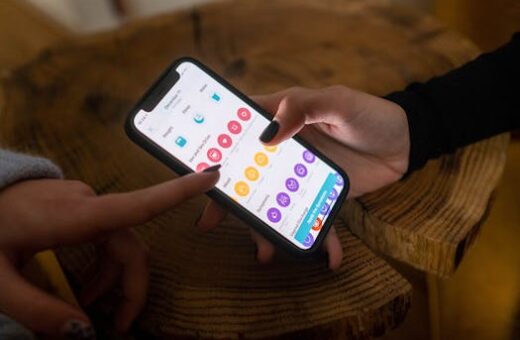
Boosting your daily efficiency is easier when you understand the small factors that break your flow. Smart time management tools can be game-changers in organizing every aspect of your workday.
Many professionals discover that a lack of structure hampers progress. The right technology lets you avoid pitfalls like missed deadlines, forgotten tasks, or mental exhaustion from task-switching.
A common misconception is thinking that simply buying a popular app will translate to real efficiency. Unfortunately, without thoughtful setup and daily habits, tools quickly gather digital dust.
This article gives proven steps, clearly explains what works (and what doesn’t), and includes scripts you can apply right away to master time management with real-world, sustainable impact.
Why Dedicated Users See Results from Their Time Management App
The core reason users keep returning to their chosen app is the significant boost in achieved tasks. They feel measurable progress and tangible control of work-life balance each week.
Continued engagement stems from personalized reminders and routines that fit your style. Adaptive scheduling combined with timely nudges helps you anticipate bottlenecks before they delay your priorities.
Building Reliable Habits for Lasting Engagement
Consistency is key. An unexpected insight: tracking only three key daily achievements yields more stickiness than attempting to oversee every minute or minor task.
Skipping regular morning reviews is the fastest route to missing deadlines. Without a daily check, even the best plan collapses as interruptions take over your attention.
If you forget your check-in, don’t panic. Open your time management app and say aloud: “Resume now. Highlight top three. Block fifteen minutes for each.”
This quick reset script puts you back in control after any lapse, turning potential setbacks into productive moments and rebuilding lost momentum efficiently.
Choosing and Setting Up the Right Tool
Most people download high-rated tools and spend just five minutes exploring features. The issue: this surface approach rarely adapts to real habits or work needs.
The better method starts with listing daily bottlenecks, selecting a tool that directly solves these, and configuring a “quick capture” widget or shortcut on your phone or desktop.
Begin by using the app solely for your biggest recurring hurdle, not everything. As comfort grows, layer in new features and templates with clear weekly reviews.
Contrast: Chasing every feature creates stress and confusion, while using a minimal setup builds confidence and clarity. Focus beats feature overload every time.
Kickstarting Your Time Management Journey Without Common Pitfalls
Your success rate increases dramatically when you start with outcome-based tweaks instead of generic routines. Adapting these essentials prevents wasted time and unnecessary distractions from day one.
Embracing proven systems lets you avoid fatigue and digital clutter. The best results come from keeping both notifications and app permissions minimalist at the very beginning.
Mastering Installation, Setup, and Your First Session
Install only the app you selected from your bottleneck review list. Resist adding multiple options to avoid fractured focus and early notification fatigue.
When asked about app permissions, enable only calendar and reminders, skipping always-on location access. This strengthens security while keeping your setup flexible and distraction-free.
On your first session, timebox it to exactly fifteen minutes. Walk through the onboarding, personalize your categories, and enter only today’s priorities instead of dumping every overdue task.
Stop trying to backfill months of missed deadlines immediately. Focus on building a repeatable check-in routine first. This structure leads to early, positive momentum instead of overwhelm.
- Decide on your priority notification category before enabling alerts: Why? Prevents noise fatigue and keeps you tuned to what matters for your routine.
- Set a daily check-in trigger: What works is a calendar event, not just a push notification. This ensures you see it alongside other key appointments each morning.
- Add a “project completed” affirmation: How? Program a quick win message for finishing your first task. Small positive feedback builds a lasting routine foundation.
- Disable social feed features in the app, if present: Why? Avoids doomscroll temptation and steers your focus toward action, not comparison or anxiety.
- Integrate a thirty-minute block at end of day for review: How? Use this slot for reflection and learning. Schedule on your personal calendar for better habit sticking.
Forgetting to turn off redundant notifications triggers stress and ignored alerts. If you miss this step, pause, prune your settings, then resume with streamlined cues only.
Crafting High-Quality Time Management Conversations and Protecting Your Progress
Exceptional follow-up with your digital to-do list leads to active progress. Outcomes improve when your app profile attracts real accountability and safety is built in from the start.
Users who communicate clearly within their tools create more opportunities for collaboration and shared wins. This works for group tasks, remote teams, and shared project management boards.
Designing Profiles for Actionable Interactions
Do use a specific goal statement in your app bio: “I use this board for progress on [project].” Avoid vague aspirations like “Stay on top of things.”
Don’t upload a generic avatar or empty banner image. Instead, select a photo or icon that clearly relates to your work or favorite productivity method.
Try this “two-thread opener” in a small team app: Start with “What’s one thing we should finish today?” while separately tracking the biggest weekly goal for longer cycles.
Here’s a counterintuitive insight: Bios with one honest vulnerability (“I struggle with focus after lunch”) drive more engagement than “perfectionist” claims or empty enthusiasm.
Enabling Safety Resources and Setting Consistent Boundaries
Start with privacy settings. Set profile sharing to “contacts only.” Double-check your device permissions so nothing personal is leaked to public feeds or profiles.
Your standard block/report flow is: open profile – tap three-dot menu – select block or report – follow the on-screen prompt to finish. Do this for any unwanted contact or app interaction.
Protect your schedule by setting a visible away status during non-work hours. Also, mark recurring focus blocks as “busy” so you’re not disturbed by others’ urgent requests.
Use this boundary-setting script: “Thanks for reaching out. I’m unavailable until 2 PM. Let’s reconnect after I’ve finished today’s priorities.” Paste this as needed for clarity.
Comparing Leading Time Management Tools and Features
Understanding the strengths of each tool can guide your decision on the best time management app for your workflow needs.
Each tool offers a unique set of features designed to match different productivity styles and work preferences efficiently.
Before committing, review their integration options and compatibility with your calendar, reminders, and project boards.
This table summarizes the core capabilities of top time management platforms, making it easier to compare and select what fits your daily routine best.
| Tool Name | Key Feature | Best For | Price (per month) |
|---|---|---|---|
| Todoist | Project templates, reminders | Personal & team lists | $4 |
| Trello | Visual boards, integrations | Project tracking | $6 |
| RescueTime | Focus tracking, auto reports | Deep work blocks | $12 |
| ClickUp | All-in-one workspace | Teams, goal planners | $7 |
| TickTick | Calendar sync, priority tiers | Personal scheduling | $3 |
Match features to your main challenges, not always price. A pricier option fits if advanced insights save enough time each month for you or your team.
Real-World Benefits of Time Management for Personal and Team Success
Strategic use of time management tools multiplies the number of tasks completed without increasing hours worked. Balance between focused blocks and mindful breaks yields measurable results.
Modern tools automate low-value chores, letting users prioritize strategic decisions and creative thinking. This shift transforms personal productivity and team outcomes alike.
Clear templates and transparent calendars eliminate confusion about deadlines and next steps. This lets even distributed teams work with greater clarity and less friction every day.
Copy this list of direct benefits for your next review or team meeting. See which outcomes matter most, and discuss ways to measure your improvements across the next sprint cycle.
- Reduced overwhelm: By organizing the day into clear segments, users experience less decision fatigue and have greater energy for creative or strategic work.
- Improved focus: Blocking specific hours for deep work minimizes interruptions and builds a stronger habit of seeing more complex projects to their conclusion consistently.
- Trackable progress: Time management tools provide real-time reports, so you can spot trends in workload, keep feedback transparent, and encourage regular checkpoint reviews.
- Clearer delegation: Sharing lists or boards makes task delegation simple, while keeping responsibilities and due dates transparent for all team members involved in projects.
- Higher motivation: Small wins tracked daily, such as a “completed” badge, support ongoing accountability and foster a culture where celebrating consistent effort is valued.
Optimizing Job Searches for Flexible and Remote Time Management Roles
Flexible work is rising for several reasons. Employees want autonomy, improved work-life balance, and the option to work where they are most productive for key projects.
Remote and flexible schedules now serve as major attractors for talent, especially in the UK, where legal protections and tech infrastructure make these jobs desirable and accessible.
In-demand roles include digital marketing, customer service, software engineering, project management, and content creation. Many of these positions now advertise part-time or fully remote arrangements to broaden the talent pool.
To find the best-fitting jobs, use filters like “remote,” “part-time,” or “flexible hours” on platforms such as LinkedIn, Indeed, and FlexJobs. Tailor your search using these tags for the most relevant posts.
When you find a good fit, personalize your email subject line to state: “Applying for Remote [Role]: Excited by Flexible Launch!” This catches the recruiter’s eye and aligns with the company’s flexible culture up front.
Creating a Standout CV for Remote, Part-Time, and Flexible Jobs
Your CV must quickly demonstrate your aptitude for time management, reliability, and communication in distributed environments. Details and structure matter more than generic claims about being “organized.”
Feature past remote or part-time roles prominently. Quantify the impact of your time management skills with concrete results, such as speed of deliverables or successful projects managed remotely.
Highlight tools you’ve mastered in professional summaries. Consider including proficiency with apps like Trello, Asana, or Slack, especially if these match the job description’s preferred platforms.
Use this table to review the top elements of CVs that get shortlisted for remote, part-time, and flexible hour positions, then update your resume accordingly for each targeted role.
| CV Section | What to Include | Why It Works |
|---|---|---|
| Professional Summary | Specific experience with remote/flexible teams | Shows fit for distributed environments immediately |
| Tech Skills | Time management apps, tools | Aligns skills with job requirements |
| Quantified Achievements | Impact on project delivery | Proves ability to work independently |
| Communication | Remote meeting and collaboration skills | Demonstrates teamwork readiness |
| References | Remote/flexible supervisors | Supports your credibility in these roles |
Refresh your CV for every application, ensuring keywords and tools match the employer’s requirements. This targeted approach significantly increases interview callbacks and offers.
Average Salary by Sector for Time Management-Driven Roles
Salaries for remote, part-time, and flexible jobs vary widely by role, sector, and location. In the UK, certain fields set higher benchmarks due to skill demands and shortage of qualified candidates.
Entry-level remote customer support positions average between $28,000 and $38,000 per year, with part-time roles prorated along similar hourly rates for experienced professionals.
Mid-level roles in digital marketing or content management generally see salaries from $45,000 to $60,000 for flexible or hybrid contracts, with bonus incentives tied to performance and project quality.
Experienced software engineers on structured remote contracts median around $75,000 to $100,000, reflecting demand for time management and autonomous productivity in coding and project delivery.
Leadership roles in project management that combine remote and flexible scheduling can reach annual compensations of $90,000 or more, especially when time management skills are proven through objective results.
Conclusion
Configure your main time management app for custom alerts, daily check-ins, and mindful reviews. Use the scripts in this article to build repeatable routines and adapt as needed.
This method succeeds because it matches real work challenges to tool features and gradually increases engagement. Early wins compound into a sustainable system that fits your personal or team workflow.
Avoid over-configuring apps or chasing every new feature. Common pitfalls include notification overload or adding tasks without prioritizing. Stick to outcome-based templates to maintain clarity and progress daily.
Today, choose a tool, timebox your first session, and script your check-in prompt. Start simply and allow each day’s routine to shape a lasting time management foundation.