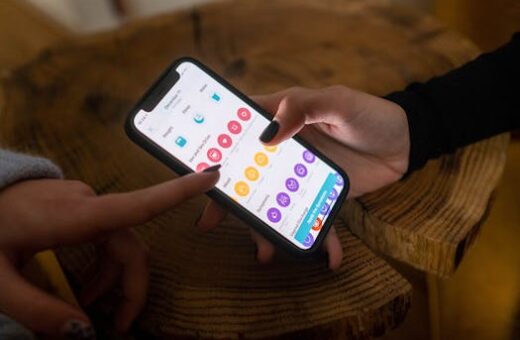
Building healthy eating habits has become more seamless thanks to advancements in digital tools. Tracking what, when, and how much you eat can help guide daily choices and long-term health.
Many people want better awareness of their eating trends, yet pen-and-paper tracking is tedious. Apps and devices can fill the gaps, making food journaling much easier and more accurate.
Believing that tracking every meal means obsessing over calories is common, but technology now personalizes experiences to suit anyone’s goals, from balanced nutrition to mindful snacking and beyond.
This guide will walk you through practical ways to use technology for taking charge of your eating habits. You’ll get tips, comparisons, and tools to transform tracking into insight.
Why Technology Makes Food Tracking Stick
Using technology to monitor eating habits improves consistency and motivation. Apps gamify the process and provide instant feedback, which keeps users engaged day after day.
Unlike handwritten diaries, digital tools can auto-complete entries and generate useful insights. This convenience reduces friction and encourages people to stick with tracking longer term.
Personalized Tracking: Insights You Can Act On
Many users expect food logs to be full of tedious entry. But the smartest trackers now offer automatic suggestions and recall your eating habits patterns to speed things up.
For example, a counterintuitive insight: documenting even imperfect meals still brings value. Skipping logging on “bad” days makes patterns less clear, hindering progress.
One failure scenario: someone stops using an app after missing a few entries. Instead, try this script: “I’ll note what I remember. Imperfect data beats none. I will start fresh tomorrow.”
Digital trackers limit the self-doubt common with manual diaries. They personalize metrics, turning your own eating habits into actionable charts for smarter decisions.
Choosing the Right Tools: Apps vs Devices
Most people begin tracking with just a phone app, but this is not always the best fit for every lifestyle or accessibility need. Explore different devices and platforms for the right match.
Apps let you log food by typing, scanning, or speaking. Smartwatches and connected kitchen scales add extra detail by counting bites or measuring portions as you prepare meals.
The “what most people do” is pick the first free app and try to use every feature. What works better is starting with one goal, such as tracking snacks or drinking water.
Build up your tracking toolkit over time. Technology should simplify your meals, not make them more complicated or overwhelming day by day.
Getting Started: Easy Wins and Avoiding Setbacks
Beginning with the right approach encourages longer-term use. Setting up a tracking system tailored to your eating habits motivates ongoing efforts and reduces the chance of quitting early.
Small victories early on reinforce commitment. By focusing on usability instead of perfection, you’ll make tracking a regular part of your daily routine and avoid getting stuck on setbacks.
First Steps: Setting Up Your Tracker
Download a respected food-tracking app. Allow necessary device permissions like camera access for barcode scanning or location for restaurant menus, but only enable what helps you meet your goals.
Customizing the first setup makes the process feel more personal. Adjust your nutritional targets according to goals, sensitivities, or doctor’s advice for true relevance.
Give yourself a 15-minute session to explore app menus, log a sample meal, and see where data appears. Don’t feel rushed; good setup now pays off later.
One thing to avoid: toggling on every possible feature. Stick with core functions that matter to you, such as capturing meals or summarizing daily nutrients, to avoid overwhelm.
- Decide which notifications you want enabled, so reminders fit your routine and reduce annoyance rather than cause stress or distraction throughout the day.
- Name common meals in your food library to save time on future entries, especially for breakfast, lunch, or snacks you repeat regularly during the week.
- Set up repeating reminders only for main meals, using gentle nudges instead of aggressive pop-ups, for a supportive tracking experience that doesn’t feel forced.
- Start with one tracking focus, like water intake or late-night snacks, so you build confidence before expanding efforts to meals like lunch or dinner next week.
- Review daily summaries at night. This habit helps you see consistent patterns, make adjustments, and celebrate wins without dwelling on one imperfect day.
If you accidentally skip a day, remind yourself that eating habits become clearer over time. Just resume logging at your next meal for a realistic, sustainable routine.
Food Journaling Features: Comparing Popular Apps and Platforms
Understanding how trackers compare empowers better choices. Popular apps and tools offer distinct features for different eating habits and preferences.
Some platforms excel at macro tracking while others simplify logging through visual diaries. Choosing based on your learning style and goals leads to the best experience.
Visual learners might prefer photo-based apps, while data-driven users lean toward apps with advanced analytics or device integration for calories and micronutrients.
The following table summarizes key features in widely used eating habits tracking platforms and apps, helping you to compare and decide what aligns best with your goals and needs.
| App/Platform | Best For | Key Features | Cost |
|---|---|---|---|
| MyFitnessPal | Detailed food tracking | Barcode scan, recipes, macro breakdown | Free/Paid |
| Lose It! | Weight management | Visual progress, calorie budgets | Free/Paid |
| Chronometer | Micronutrient trackers | Custom goals, biometrics, vitamins | Free/Paid |
| Yazio | Meal planning | Coaching, fasting plans | Free/Paid |
| Apple Health | Integration | Syncs wearables, simple meal logging | Free |
What To Look For In a Food Tracking App
Identify your non-negotiables. If recipe entry and macronutrient data matter most, choose a tracker built for precise customization and reporting.
Pay attention to data export options. If you plan to share progress with a health coach or doctor, exports can make the transition easier and less error-prone.
If you prefer visuals, try platforms that let you log meals with photos and simple captions. This works well if you dislike typing or prefer reviewing your eating habits at a glance.
Compare privacy settings. Choose apps with clear data policies and granular controls, allowing you to decide what stays private or can be shared with close family members.
Social Features: Groups, Challenges, and Accountability
Social tools can keep you motivated to maintain healthy eating habits. Many apps now offer group support, competitions, and shared progress maps for encouragement.
Joining online groups or buddy systems makes it much easier to stay committed compared to going it alone. Shared challenges foster friendly competition and learning.
For example, some platforms reward streaks or offer team-based goals. This social dimension turns eating habits into shared goals that fuel regular engagement and a little fun.
You may also find nutrition professionals or community leaders within these tools. They can help interpret your eating habits data and give actionable advice personalized to your goals.
Group chats or forums are a great spot to ask questions about new foods, recipes, or app features. Use them to keep your tracking journey lively and mistake-resistant.
Maximizing Motivation With Social Features
If you feel motivation slipping, use challenge invitations or daily check-in reminders. These friendly prompts lower the barrier to entry and keep you engaged with your eating habits journey.
Choose groups committed to encouragement rather than competition. While a healthy challenge helps, consistent positive feedback sustains long-term growth and mindful food decisions every week.
Consider sharing only what feels comfortable. Group features let you control how much or little you reveal about meals, preferences, or health data for privacy and confidence.
Always prioritize your goals and comfort over peer pressure. Social support should add value to your food tracking experience, not subtract from your enjoyment or confidence.
Meal Planning and Smart Reminders
Smart meal planning maximizes the benefits of food tracking apps. Tools for planning and reminders help structure meals in advance, reducing tiredness or forgetfulness at mealtime.
Most apps now offer calendar or suggestion features, allowing you to build shopping lists and auto-generate meal plans based on your eating habits history and nutritional goals.
Use reminders for grocery shopping or prepping specific meals. This keeps your eating habits intentional, reducing impulsive choices after a long day or irregular schedule changes.
Planning in advance eases stress. Instead of last-minute decisions, your meals are aligned with tracked insights, time available, and ingredients already at home.
The right tool also nudges you to balance nutrients or add variety if your tracked eating habits show a pattern of monotony or imbalance.
Optimizing Your Reminders and Notifications
Set up only the reminders you know you need. Overloading your phone leads to notification fatigue, which makes it easier to ignore or snooze important food tracking prompts.
Test out weekly over daily planning for a more flexible approach. Weekly reminders help spot trends and adjust eating habits before any habits become set in stone.
Analyzing past notifications helps you refine timing and frequency. Apps that summarize missed logs or sent reminders allow you to adjust your setup month by month.
If you find yourself ignoring reminders, reduce their frequency and tweak timing. Personalized alerts are much more effective than rigid pop-ups tied to standard mealtimes.
Wearables: Integrating Devices for Seamless Tracking
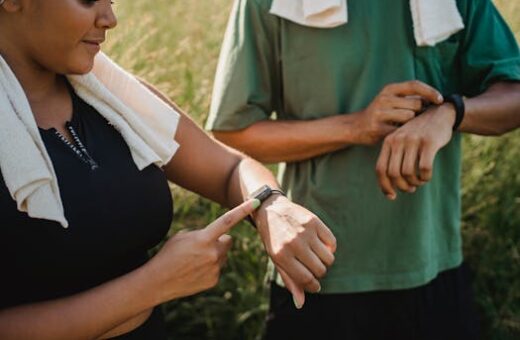
Wearables have made passive tracking more accessible. Devices like smartwatches and fitness bands now sync with food journals, blending eating habits with movement and vital signs data.
Connecting your phone with kitchen tools, such as smart scales or nutrient analyzers, allows for error-free portion tracking and real-time nutritional feedback as you prep meals.
Many platforms automatically send step or sleep updates to your eating habits dashboard. This reveals links between food intake, activity, and sleep quality for more comprehensive planning.
The trick is to only connect devices that add real use. Too many integrations make your dashboard cluttered and detract from the core job of eating habits awareness.
Long term, only sync devices that you use regularly. Quality beats quantity when integrating technology into your healthy eating habits toolkit and daily rhythm.
- Check device compatibility within your main app before purchase to avoid frustration or device duplication, ensuring seamless data sync without gaps or technical hitches.
- Keep an eye on battery life for wearables. Scheduled charging prevents unexpected gaps in your eating habits log due to device shutdown during the week.
- Adjust connected device data settings so only useful health info is transferred, minimizing the overwhelm of seeing too much data and helping you focus on meaningful patterns.
- Set boundaries for notifications from devices, so they don’t interrupt sleep or work sessions, fostering a sustainable and enjoyable eating habits tracking environment.
- Regularly review which devices are still relevant, disabling sync for any tools you find redundant as your eating habits goals or daily routine evolves.
Customizing for Special Diets and Food Sensitivities
Tracking apps support a wide range of special diets, including keto, plant-based, or gluten-free. You can often tailor settings to suit allergies, sensitivities, or unique eating habits needs.
Many platforms offer search filters for ingredients or meal plans, keeping allergen data easily visible so you can avoid triggers, cross-reactive ingredients, or unwanted food groups.
If your eating habits depend on cultural or religious considerations, look for apps that support diverse cuisines, regional food libraries, or fasting schedules for added flexibility.
Customization goes further with advanced trackers, letting you design your own templates or reminders for medication, supplements, or hydration linked to customized nutrition targets.
This adaptability supports healthier eating habits for everyone. Tailored insights keep food tracking relevant through personal lifestyle changes, new health goals, or evolving medical needs.
Conclusion
Technology now empowers you to monitor and refine eating habits with less effort and more immediate feedback. Use the right tools for setup, automation, and meaningful summaries each week.
Each step in this guide builds on practical actions, from setting up your first tracker to integrating devices and social features. Each one enhances your understanding and drives better habits.
One pitfall: trying to do too much by tracking every detail at once. Instead, scale up as you gain comfort so your eating habits journey feels sustainable, not burdensome.
Start today by installing one app, logging your next meal, and celebrating your new step toward mindful, effective eating habits. Technology can simplify the path to your personal nutrition goals.