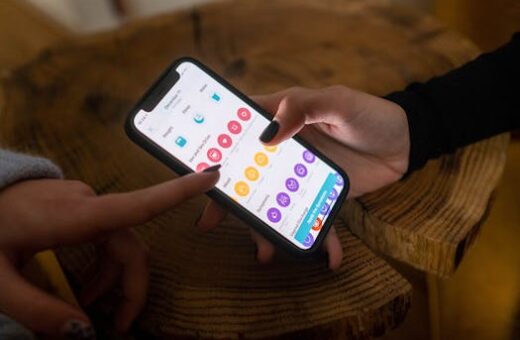
Upgrading your home entertainment is easier than ever with so many devices available. If you’ve looked for the best streaming device, you know how overwhelming it can be at first glance.
There’s a wide range of prices, features, and compatibility to sift through. Some devices offer unique streaming options, while others focus on solid integration with smart home systems.
Many people believe that price alone guarantees a great experience, but technical compatibility and content access matter just as much. This misconception can lead to disappointment after purchase.
This guide will explain practical steps to identify the best streaming device tailored for your needs. You will also get clear, unbiased advice for a smooth buying process.
Understanding Streaming Devices and Their Core Functions
Before you choose, you need to know what a streaming device is and how it works. These products connect your TV to the internet for easy access to services.
The best streaming device does more than show your favorite apps. It should also offer seamless navigation, voice control, and regular software updates to enhance the user experience.
Device Types and Key Differences
There are several main types – streaming sticks, set-top boxes, and smart TVs. Each has strengths. Sticks are compact and portable, boxes offer robust performance, and smart TVs build in everything.
One counterintuitive insight is that some set-top boxes outperform newer smart TVs in speed and flexibility. New doesn’t always mean better in streaming.
If you pick based only on looks, you may find features missing. Users sometimes buy the most stylish model and struggle later with a lack of apps or limited connectivity.
If you realize your device lacks what you need, say: “I need streaming access for all my paid services. Can I exchange for a more compatible model?”
Evaluating Content Access and Compatibility
Make a list of must-have streaming services, such as Netflix, Hulu, Disney+, or niche platforms. Then, check the device’s compatibility with them.
Most users rely on the box or stick that friends recommend. The better choice is to match device support lists against your preferred apps.
Some devices don’t support every content app. What most people do: buy first and check apps later. What works: check first, buy next.
Don’t forget about voice assistants and smart home support. Not all streaming products work with Amazon Alexa, Google Assistant, or Apple HomeKit.
Prioritizing Picture and Audio Quality
To enjoy crisp visuals and immersive sound, focus on your TV’s capabilities and the device’s video and audio features. This can dramatically affect your experience.
The best streaming device can deliver up to 4K Ultra HD, HDR, and Dolby Atmos sound if your home theater setup supports these standards.
Choosing Resolution and Format Support
4K Ultra HD, HDR10, Dolby Vision, and HLG are common video formats. Your streaming device should match your TV’s best video standards for sharp, vibrant picture quality.
Skip devices that top out at 1080p if you have a 4K TV. You risk missing out on detail and color performance, especially with new releases and blockbusters.
Some buyers mistakenly believe every 4K device includes premium HDR formats. Verify HDR compatibility before purchasing to avoid disappointment and ensure full feature use.
If you need to verify, ask: “Does this device output Dolby Vision and HDR10 at 4K?” Get clear confirmation before completing the sale.
Understanding Sound Options
For audio, analyze output capabilities like Dolby Atmos, DTS:X, or multi-room music support. Choose a device that complements your sound system.
Brands sometimes market basic stereo as “advanced sound.” Real home theaters unlock their full potential with the best streaming device outputting immersive surround formats.
Most people ignore audio specs at checkout. Instead, confirm that your soundbar or AV receiver is compatible for a synchronized experience.
Streaming sticks connect directly to TVs, so ensure your soundbar is plugged in to receive enhanced audio formats. That way, you achieve the optimal setup.
Device Ecosystem and Smart Home Integration
Integration with your existing technology ecosystem can influence which is the best streaming device for your home. Compatibility is key for seamless smart home control.
Many devices work best within their native ecosystem – Apple TV for Apple devices, Chromecast for Google fans, and Roku or Fire TV for broader compatibility.
Voice Assistant and Automation Features
Devices with built-in Amazon Alexa or Google Assistant improve accessibility. Use voice commands to find shows, adjust volume, or control other smart devices with ease.
Apple TV ties in with Siri and HomeKit, making it ideal for users in the Apple ecosystem. Smart home routines become easier to manage from your remote.
Users sometimes buy without checking voice compatibility, which can limit future smart home expansion. Always confirm what assistants are supported before purchase.
If you discover your streaming device doesn’t work with your assistant, say: “Can I return this for a model supporting Alexa/Google/Siri?” Many retailers allow device swaps.
App Support and Updates
Choose streaming products known for frequent firmware updates. This ensures access to the latest features, bug fixes, and new streaming apps as they’re released.
Some brands support their devices for years, while others offer minimal future upgrades. Research update histories for the best streaming device prior to purchase.
Most people assume software updates are automatic. Instead, register your device and look for manual update options in settings to ensure continued support.
Apps like Netflix and YouTube require regular updates to function correctly and add new features. Prioritize brands with a reputation for robust support and longevity.
User Experience and Ease of Use
Daily enjoyment relies on how easy your streaming device is to use. Consider remote design, menu layouts, and navigation speed alongside technical specs.
The best streaming device balances power with simplicity. Look for intuitive remotes, straightforward interface design, and responsive performance every session.
Remote and Interface Features
Remotes with voice search, dedicated app buttons, and backlighting add convenience. These features make browsing faster, especially for kids or guests unfamiliar with the device.
Counterintuitively, minimalist remotes can be a disadvantage. Too few buttons may slow down navigation for advanced users or those who like quick-access controls.
Poor navigation can frustrate families or houseguests. If menu lags or hidden settings become too troublesome, request a tutorial or switch to a more accessible model.
If accessibility becomes an issue, try: “Could you walk me through a shortcut for browsing quickly?” This script encourages helpful responses at retail counters.
Setup and Navigation Tips
When setting up, follow clear, step-by-step instructions. Most devices prompt network connection, account sign-in, and automatic software updates upon startup.
Use easy navigation tips like app sorting by preference, creating watch lists, and setting up user profiles for personalized recommendations and parental controls.
Novice users sometimes skip initial customization. Invest the extra few minutes at setup for a more enjoyable and secure experience later.
If the interface feels sluggish, restart the device and check for pending updates. Persistent issues may require a factory reset or alternate device selection.
| Device | Key Features | Platform Compatibility | Voice Assistant Support | Best Use Case |
|---|---|---|---|---|
| Roku Streaming Stick 4K | 4K HDR, simple interface, private listening | Cross-platform | Google, Alexa, Siri (limited) | General use, value |
| Amazon Fire TV Stick 4K | Alexa voice remote, Dolby Atmos, 4K HDR | Android, iOS | Alexa | Amazon Prime households |
| Apple TV 4K | Dolby Vision, App Store, HomeKit | Apple, iOS | Siri | Apple ecosystem |
| Google Chromecast with Google TV | Google TV UI, 4K HDR, personalized recommendations | Android, iOS | Google Assistant | Google ecosystem |
| NVIDIA Shield TV | 4K AI upscaling, GeForce Now gaming | Cross-platform | Google Assistant | Power users, gaming |
- Research compatibility with your streaming services and check device support lists before purchase to avoid missing key apps, ensuring a smooth user experience after setup.
- Decide whether you prefer a compact streaming stick, a robust set-top box, or a smart TV with integrated apps, based on your home theater space and technical needs.
- Verify your internet speed supports high-resolution streaming so you get the most out of devices capable of 4K HDR or advanced surround sound formats.
- Consider integration with your smart home ecosystem, checking which voice assistants and automation features are available for each device you consider adding to your setup.
- Factor in support and update history to maintain security and access to new streaming apps or features, especially for future-proofing your home entertainment system.
Connectivity and Technical Features
A reliable connection ensures smooth streaming and reduces buffering or lag. Examine hardware features such as Wi-Fi versions, Ethernet ports, and Bluetooth capabilities.
The best streaming device will feature fast Wi-Fi (at least Wi-Fi 5 or 6), HDMI compatibility with your TV, and support for wired or wireless audio systems.
Network and Bluetooth Capabilities
High-speed Wi-Fi 6 provides the best streaming device with stable, high-quality video. Bluetooth allows pairing with headphones, controllers, or speakers for private entertainment.
Some models add Ethernet for ultra-stable wired connections. This is helpful in crowded Wi-Fi environments or larger homes with multiple users streaming simultaneously.
People sometimes overlook network abilities. This can cause performance gaps, especially during peak usage times. Check and match your router’s compatibility before making a final selection.
If you find your device stutters a lot, move it closer to the router, try a wired connection, or upgrade your wireless equipment for smoother performance.
HDMI, USB, and Expansion Options
Look for devices supporting HDMI 2.0 or later for full 4K HDR support. Some add USB or SD slots for local content playback, which professional users or families may value.
HDMI-CEC enables controlling power and volume for compatible TVs. This can minimize remote clutter and simplify day-to-day use with the best streaming device.
Most buyers ignore expansion options until they want to watch their own files or use extra storage. Plan ahead if you have a growing digital library.
Ask: “Does this unit support external drives or playback from USB?” to avoid surprises if you need local media options.
Price, Value, and Futureproofing
Budget plays an important role, but value and longevity should guide your purchase. Expensive doesn’t always equal the best streaming device for your specific use case.
Shop around for bundled deals that include remotes, voice assistants, or extended warranties that add real value without breaking your budget.
Comparing Cost vs Features
Compare prices relative to features and brand support. Entry-level sticks may cost under $50, while premium boxes reach $150 or more due to advanced technology.
The counterintuitive truth is that mid-range models sometimes offer the best streaming device value when balanced with frequent updates and robust app support.
Spending more on futureproof features like Wi-Fi 6 or HDMI 2.1 can extend the useful lifespan of your device, minimizing tech obsolescence over several years.
If you’re unsure, ask a retailer: “Which model gets the longest app and security support?” This helps narrow choices to those that stay functional the longest.
Warranty and Customer Service
Look for at least a one-year warranty and responsive customer support. Brand reputation for honoring returns or troubleshooting can impact your experience if problems arise.
Device support forums and help lines can offer workarounds or replacement options faster than traditional retail stores. Consider these backup resources in case issues surface after setup.
Users who skip customer service research sometimes regret it if defects appear later. Protect your investment by registering the device and saving receipts for hassle-free returns.
If you need help, say: “I registered online and have my receipt. Can you guide me through a replacement or refund process for my streaming device?”
Conclusion
Finding the best streaming device means matching hardware, software, content compatibility, and ease-of-use to your family’s habits and existing technology at home.
Following a careful step-by-step process ensures smooth streaming, future updates, and a frustration-free user experience over time.
Avoid the pitfall of prioritizing price or looks above all else – value, reliability, and smart home integration are just as critical as initial cost.
Ready to upgrade? Define your needs, check compatibility, and take the time to explore store models before bringing home the device that fits your home best.