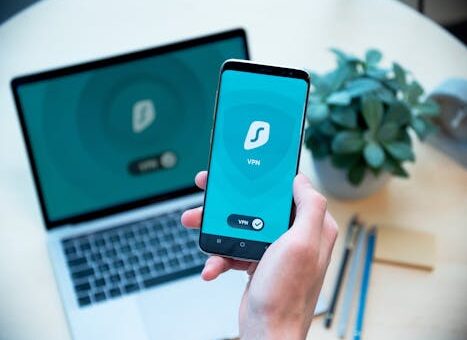
Social media platforms connect us with friends and trends, but it is crucial to protect the personal data we share every day. Small oversights can have big consequences.
Many people worry about losing control of personal information, especially when privacy settings are complex or unclear. Understanding practical steps can reduce this risk and give users peace of mind.
Some believe that adjusting privacy settings once is enough, yet attackers and companies frequently update their strategies. An ongoing approach is necessary to keep your information safe.
This article provides step-by-step guidance to help protect the personal data on social media, ensuring sustained privacy using clear and actionable measures.
Understanding Social Media Privacy Risks
Anyone using social media faces the risk of data misuse, identity theft, or information leaks. Recognizing these threats is essential for anyone aiming to protect the personal data effectively.
Cybercriminals use various tactics to access private profiles, making it easy for them to exploit careless posts. Staying aware can significantly reduce your exposure to these risks.
Common Ways Data Gets Compromised
Phishing links and malicious attachments in direct messages can bypass security. These methods are designed to look genuine, so many users fail to anticipate their real intent.
Oversharing or posting personal updates in public groups can expose your address and habits. This information is then easily collected by identity thieves, sometimes without your knowledge.
A counterintuitive insight is that even deleted posts can remain accessible to data harvesters. Users should always think twice before posting sensitive information, expecting nothing can ever truly disappear.
If personal details leak, use this recovery script: “I noticed unusual activity on my account. Please assist me in securing it and investigating any unauthorized access.”
Key Tools for Protecting Privacy
Most platforms provide built-in security tools like two-factor authentication, profile visibility controls, and data download requests. Using only default settings leaves users vulnerable to common attacks.
Many people trust social platforms to protect the personal data automatically, but manual review and active customization of privacy settings provide stronger defenses.
Follow this mini-step sequence for better security: review privacy controls, enable login alerts, restrict third-party app access, update passwords, and periodically audit account activity.
What most people do is set-and-forget default settings. What works is routinely checking for new privacy features and updates to match evolving threats.
Building a Strong Privacy Foundation
By strengthening security habits, users can avoid most privacy lapses on social media. Consistent attention prevents small details from turning into larger vulnerabilities over time.
A new account with high privacy settings helps protect the personal data, but even established users can enhance their protection with routine checks and smart choices.
Step-by-Step Security Setup
Begin with a complete review of all permission requests during registration. Only grant access to apps and contacts when absolutely necessary, and deny requests for unrelated features.
Customize your profile visibility right away by limiting who can see posts, friends list, and personal details. Use the custom audience tools to restrict viewing rights to trusted contacts.
Allocate a focused 15-minute session to configure these settings thoroughly. Consider setting a reminder to revisit privacy options every two months for the best ongoing protection.
Stop approving friend requests or following links from unknown users. This habit prevents you from sharing information with possible malicious actors unintentionally.
- Review all privacy and security options on your first day, focusing on who can view your posts and contact information, to establish an effective privacy baseline.
- Set up strong and unique passwords for every account. Update them regularly to stop attackers from taking advantage of previously exposed credentials through data leaks.
- Turn on two-factor authentication and choose trustworthy backup methods to add a crucial security layer and help protect the personal data in the event of password breaches.
- Learn how to report and block suspicious accounts promptly. Determine the steps in your platform’s help center to streamline urgent responses if suspicious activity arises.
- Develop healthy messaging habits by not sharing sensitive data in private conversations, even with people you know, since accounts can be compromised or impersonated at any time.
If you miss a step and your privacy is compromised, act quickly: change your login details, enable account recovery, and alert friends to look out for suspicious messages in your name.
Choosing Effective Passwords and Authentication Measures
Layering strong authentication and password strategies is the most reliable way to protect the personal data on any social media account. Weak security can compromise even the strictest privacy settings.
Remember: passwords are the first barrier against unauthorized access. Relying on memory alone does not offer enough protection from modern hacking techniques or large-scale data leaks.
Password Creation Tips
Create unique, lengthy passwords for every social media account by combining upper and lower case letters, numbers, and symbols. This complexity frustrates automated hacking programs.
Do not use the same password for multiple sites, even if it seems secure. This practice increases the risk that, if one site is breached, attackers can access all linked accounts.
Try a secure password manager to generate and store passwords. This way you only need to remember one master password while keeping the rest randomized and difficult to guess.
If you forget a password, promptly use the account’s recovery process. Avoid entering repeated incorrect guesses, as this can trigger unnecessary account lockouts or draw further attention.
Multi-Factor Authentication (MFA) Setup
Two-factor or multi-factor authentication (MFA) combines your password with an additional identifier, such as a code from your phone or an authentication app. This prevents most unauthorized logins.
Follow these steps: log in, visit security settings, select two-factor authentication, choose a method (SMS, authenticator app, or key), and save backup codes somewhere safe offline.
People commonly enable SMS-based MFA for convenience. For better security, choose app-based or hardware key methods, which are much harder for attackers to intercept or spoof.
Regularly test your recovery options and update them as your phone number, devices, or email addresses change. Outdated recovery data may lock you out when you need access most.
Controlling Profile Visibility and Post Reach
Limiting who sees your content is a core step to protect the personal data on your profiles. Public posts spread quickly beyond your intended audience, which can lead to unintended exposure.
Smart users review audience selectors for each post, controlling how widely private moments travel. Reviewing friends or followers lists helps ensure only trusted people are included.
Audience Tools and Restricted Sharing
Social networks offer tools for customizing who can see your content. Always consider whether a post should be “Public”, “Friends Only”, or “Custom” before sharing updates or photos.
Use the platform’s privacy check-up routines. These wizards walk you through a series of common exposure risks and suggest tightening your controls accordingly in only a few steps.
Think twice before allowing tag requests or location check-ins. These features can reveal routines and live whereabouts, potentially putting physical safety at risk, especially for minors.
A practical strategy is to review your audience once per month. Removing old connections or unverified followers can further help protect the personal data from unwanted access.
Profile Customization Do’s and Don’ts
Do customize your profile bio without sharing critical identifiers such as address, phone number, or daily schedule. Use general interests instead of verifiable details.
Do not post high-resolution images of IDs, tickets, or documents. Even with names blurred, smart attackers can extract clues from backgrounds or visible patterns.
Review what others can share about you. Disable options that let others tag or mention you without approval to control your digital footprint more effectively.
Always preview your profile as a stranger to catch overlooked information. This perspective highlights hidden risks and allows you to make changes before others see them.
Recognizing Suspicious Behavior and Reporting Abuse
Promptly identifying and acting on suspicious activity helps protect the personal data before damage occurs. Many attacks escalate only after a user’s slow response or inaction.
Monitoring for fake profiles, phishing attempts, or strange messages can halt a threat in its tracks. Reporting and blocking suspicious accounts keeps your network clean and safe.
Suspicious Signs and Common Attacks
Unfamiliar people sending urgent or emotional messages might be phishing attempts. They encourage quick replies to bypass skepticism and get sensitive information or money.
Fake giveaways or account impersonations trick users into clicking harmful links. Always verify unexpected offers by contacting real friends through alternative channels before responding.
Change password alerts, device login notices, or posts you did not create signal unauthorized access. Respond immediately by updating security and reviewing activity logs for old posts or messages.
If you get a strange message, try this script: “I cannot verify who you are. For security, I will not share any information or click any links.”
Abuse Reporting and Blocking Flow
Each platform offers options to report spam or abuse. Locate the report button in messages, posts, or account profiles and submit a brief description of what happened to hasten review.
Block unwanted users so they can no longer view your profile or contact you. Combine reporting and blocking for the strongest defense against harassment or scams.
Set your account so only friends can comment or message you directly. Use platform-specific privacy and blocking settings to filter interactions and discourage repeat offenders.
Copy and use this boundary-setting message in difficult situations: “This conversation feels uncomfortable. I will not continue. Please respect my privacy going forward.”
Managing Third-Party Apps and Devices
Every new app linked to your social media can become a vulnerability, so checking connected apps is key to protect the personal data. Regular audits prevent unintentional data sharing.
Outdated or unused apps left connected may extract contact lists, email addresses, or even post on your behalf. Removing permissions gives you more control over what is shared.
Reviewing Connected Services
Find the “Apps and Websites” section in your platform settings. Review the full list to identify old or unfamiliar connections, then immediately revoke any that are not needed.
Some services want full account access but rarely need it for their features. Only grant minimum permissions – for example, approve sign-in only, rather than reading your profile or posts.
Set alerts for new app connections. Monitor device activity and logs for signs of unusual login times or locations, which can indicate compromised third-party apps or automation scripts.
Revisit which devices are currently logged into your account. Log out of sessions on old phones, public computers, or shared devices you no longer use to help tighten account control.
Sample Audit Table
| App/Device | Permission Level | Last Used | Recommended Action |
|---|---|---|---|
| QuizMe123 | Read profile | 9 months ago | Remove access |
| Event Matcher Pro | Post on your behalf | 2 weeks ago | Limit permissions |
| Old Phone (Galaxy S8) | Full account | 10 months ago | Logout device |
| Spotify | Email only | Today | Keep enabled |
Developing Long-Term Privacy Habits
Consistently maintaining privacy is the most effective way to protect the personal data, reducing the risk of accidental exposure or manipulation over time. Consistency edges out one-time fixes.
Create reminders to audit account privacy settings every few months. Make it part of your digital hygiene, similar to updating antivirus software or backing up documents.
Checklist for Sustained Privacy
Track what content is public, private, or shared only with close friends. Periodically update privacy lists to include or exclude new connections as your network evolves.
Stay aware of privacy policy changes from platforms. New features can alter what gets shared, so reading the update highlights before accepting terms helps you identify risks early.
Remember to educate friends and family on your privacy preferences. Ask them not to tag or share posts that violate your comfort level or publicize sensitive information about you.
Report suspicious ads or messages, even if you do not interact with them. This helps platforms improve their threat detection and make the environment safer for all users.
- Schedule a bi-monthly review of security settings. Updates tested today could be outdated in weeks, so recurring checks are your safeguard against evolving threats and privacy policy changes.
- Enable login alerts for all new devices or sessions. These notifications are an early warning signal, allowing a quick response before damage occurs if attackers try to access your accounts.
- Back up essential data such as friend lists, posts, or photos outside the platform. Regular backups reduce the impact of an account loss or lockout and make recovery easier if issues arise.
- Designate someone trustworthy who can help recover your account in emergencies. Share only essential recovery details offline and keep them updated if your plan or primary contacts change.
- Participate in platform-led security awareness sessions or newsletters. These provide insights into current threats and feature rollouts, keeping your privacy practices relevant and effective.
Conclusion
Effective steps to protect the personal data include tightening profile visibility, using strong passwords, enabling multi-factor authentication, and auditing connected apps regularly.
This sequence works because it addresses different risk points, from initial account setup to ongoing habits, forming a comprehensive privacy shield for your social media life.
A subtle pitfall is ignoring regular privacy check-ups after the initial setup. Prevent this by setting calendar reminders, so you never fall behind on new security options and threats.
Commit today: take 15 minutes to update your privacy settings and review connected apps to give your social media accounts a stronger privacy foundation immediately.